Tables that hold their shape
Recipient Preflight compares GFM table rows with the header, so inconsistent column counts are visible before export.
GFM column consistency
Recipient preflight for macOS
TextPack turns one text or Markdown source into a styled PDF, then checks the source for the details that make a handoff look unfinished.
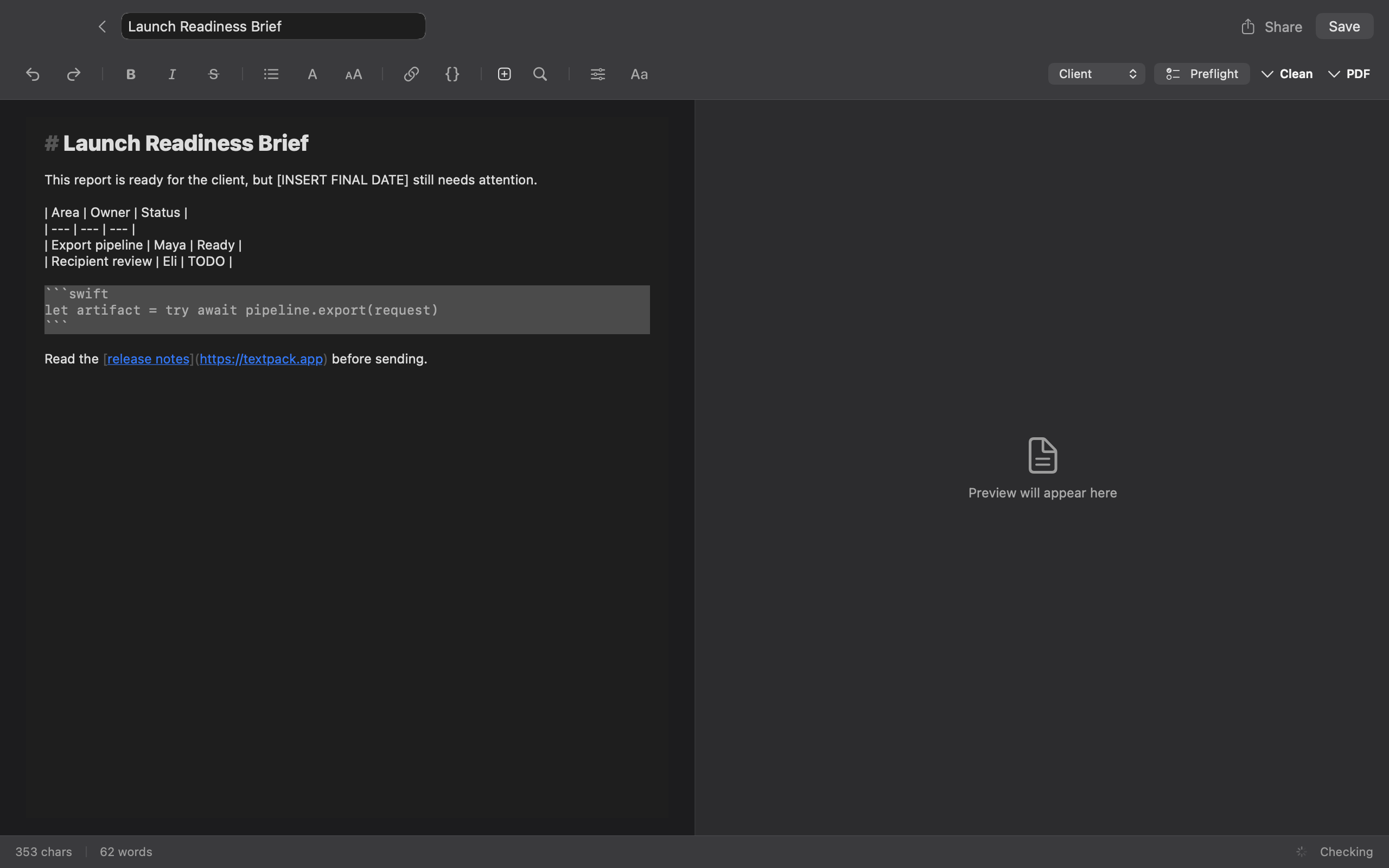
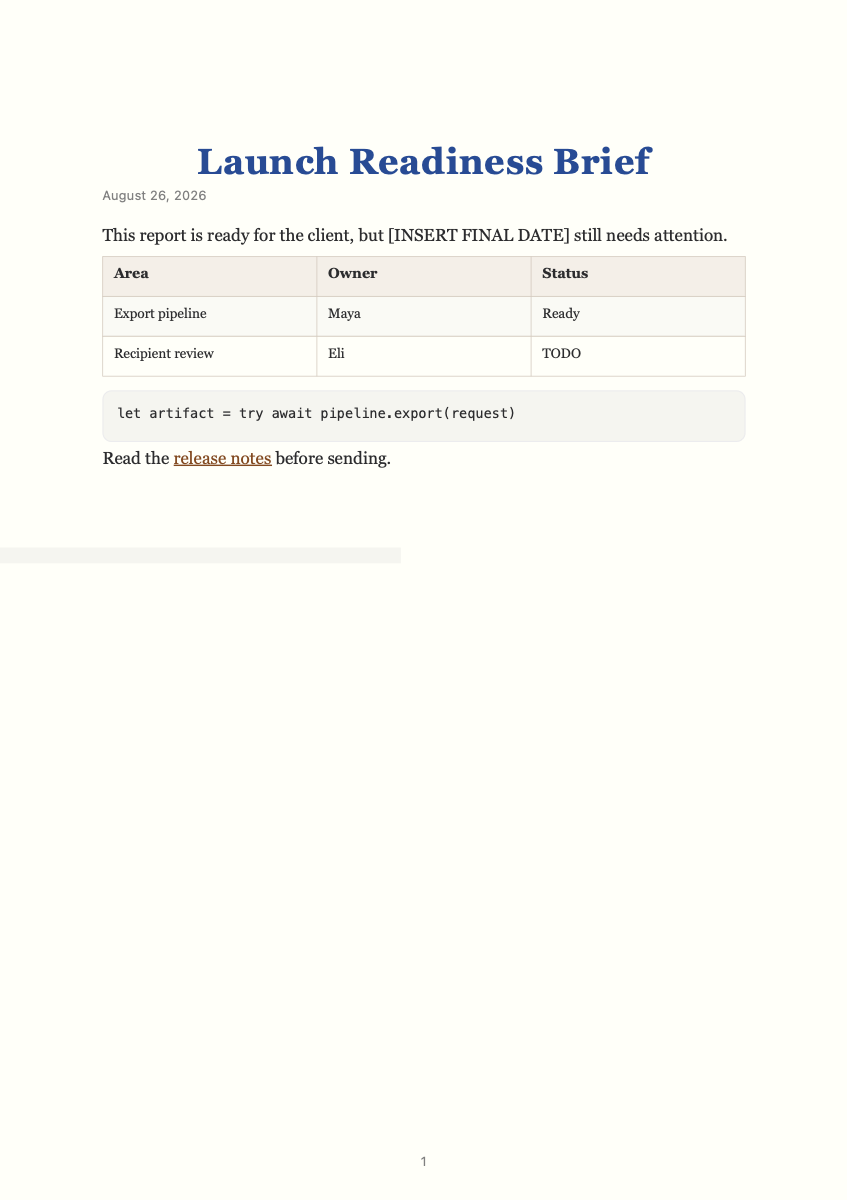
This launch brief contains a missing final date, an unfinished task, an inconsistent table, an open code fence, and a link worth checking. The PDF can render all of it cleanly. Recipient Preflight catches the source-level risks before you send.
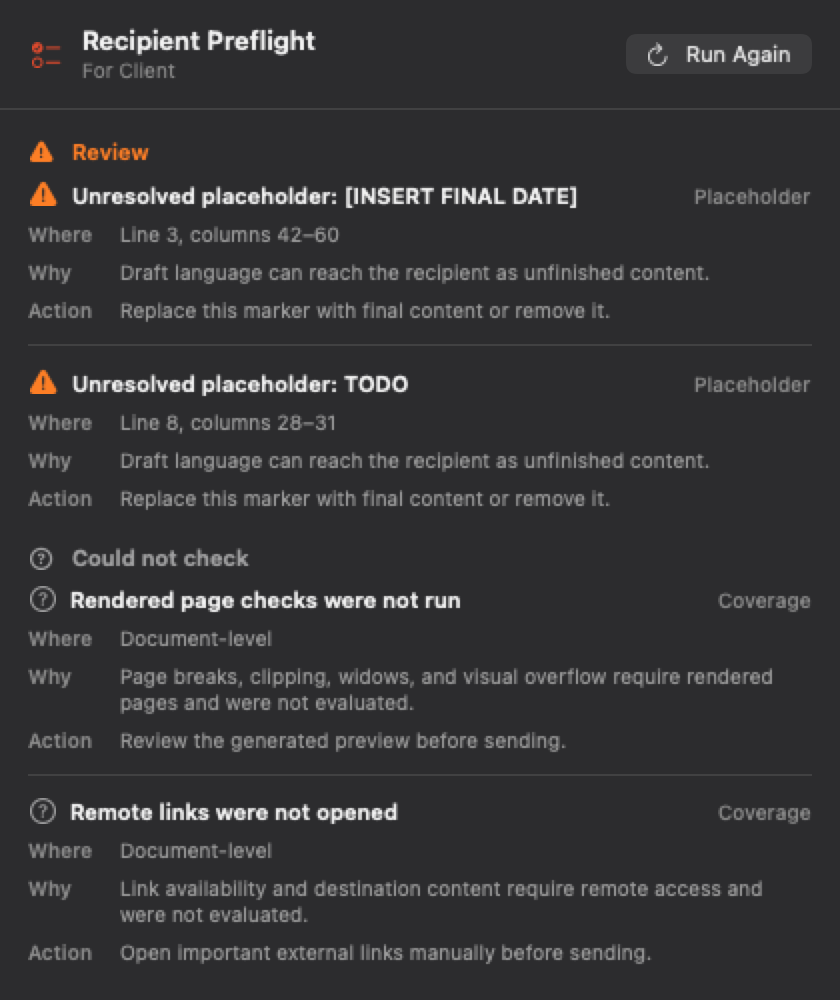
Run Recipient Preflight against the source you are about to send. Every result names the rule and the affected line.
Return to the source, resolve the issue, and rerun the same deterministic checks. The preview stays beside your text.
Export the reviewed document as PDF, Markdown, or TXT. The source remains the single place you edit.
The checks stay narrow and explainable. They focus on common source problems rather than pretending to judge whether the document is correct.
Recipient Preflight compares GFM table rows with the header, so inconsistent column counts are visible before export.
GFM column consistency
Unclosed fenced blocks and long code lines are surfaced while you still have the source in front of you.
Fences and line length
Conservative placeholders, malformed links, local paths, and long unbroken tokens are easier to miss on a final skim. Preflight keeps them in one review list.
Source-level review
Clear network boundary
TextPack processes source text and generates previews and exports locally. It does not upload document content for editing, preflight, or rendering.
Service requests do not include your document text, clipboard content, file name, or exported file. Website analytics also stays off until you choose to allow it.
Download the public Mac app first. When you need unlimited exports and full styling control, unlock Pro with the license key sent after checkout.
Download for MacPro license
$9.99
One payment. No subscription.
Checkout and tax handling are provided by Lemon Squeezy.
It runs deterministic source checks for a missing title, unclosed code fences, inconsistent GFM table columns, conservative placeholders, malformed or local links, and long unbroken tokens or code lines.
No. Current checks are source-level and conservative. TextPack does not claim rendered-overflow detection, remote URL availability, redaction, provenance, compliance review, or accessible-PDF validation.
No document content is uploaded for editing, preflight, preview, or export. Network access is used for download, purchase, licensing, update checks, and optional diagnostics when you enable them.
TextPack uses one text or Markdown source. It exports PDF, Markdown, and TXT. It does not provide collaboration, DOCX export, or JSON export.
TextPack Pro is $9.99 paid once, not a subscription. Lemon Squeezy completes checkout and emails the license key. Use that key to unlock the same public Mac app download.
TextPack requires macOS 14 Sonoma or later and runs natively on Apple silicon and Intel Macs.
Download TextPack for macOS 14 or later, run Recipient Preflight, and decide what is ready to send.